The device is able to send emails to a specified address.
This is mainly used for the notification feature of the peripherals (sensors, digital I/Os, watchdogs).
To be able to send emails, in addition to a recipient, a SMTP mail server has to be configured. The device acts as a SMTP client, just like your desktop email client does.
Templates can be edited or created, to customize the exact content of the emails.
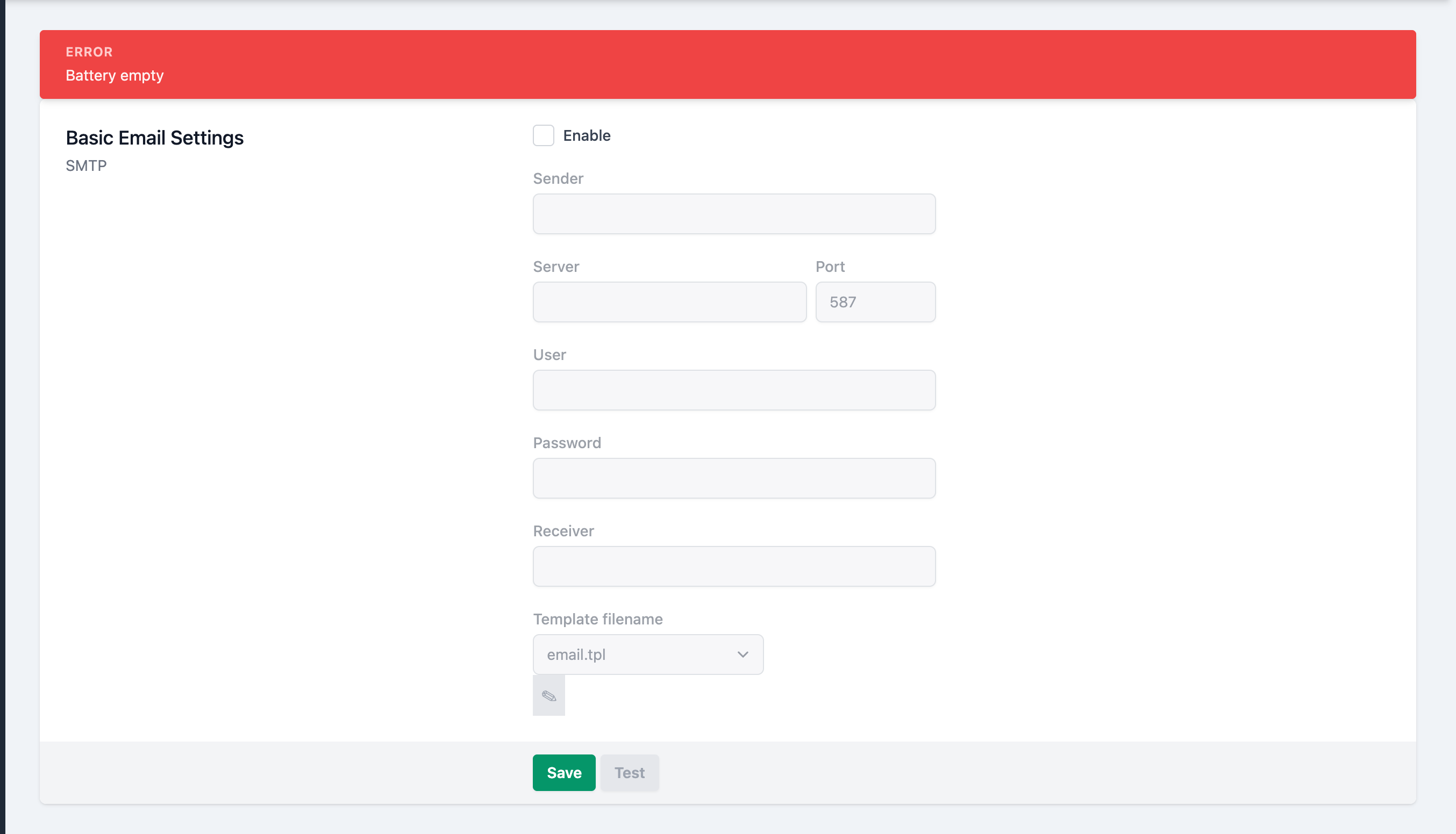
Your email provider typically provides the necessary SMTP configuration details.
Enable
Tick the checkbox to fill out the configuration details and enable the interface.
Sender
The email address to send the emails from
Server
The SMTP server URL
Port
The SMTP server TCP port
User
The email address or user name (depends on your email provider) to log onto the SMTP server
Password
The password belonging to the user above
Receiver
The email address to send the emails to
Template filename
//TODO default, reset
Also refer to the Templates page.
Test the configuration
After filling in the form, click on at the bottom of the page, to test the configuration. If the configuration is valid, you should receive a test email from the device.
Save the configuration
Click on at the bottom of the page, to persist the configuration.